Clean 30 Seconds: A Practical Guide to Recording and Voice Cloning
機械翻訳 / Machine-translated
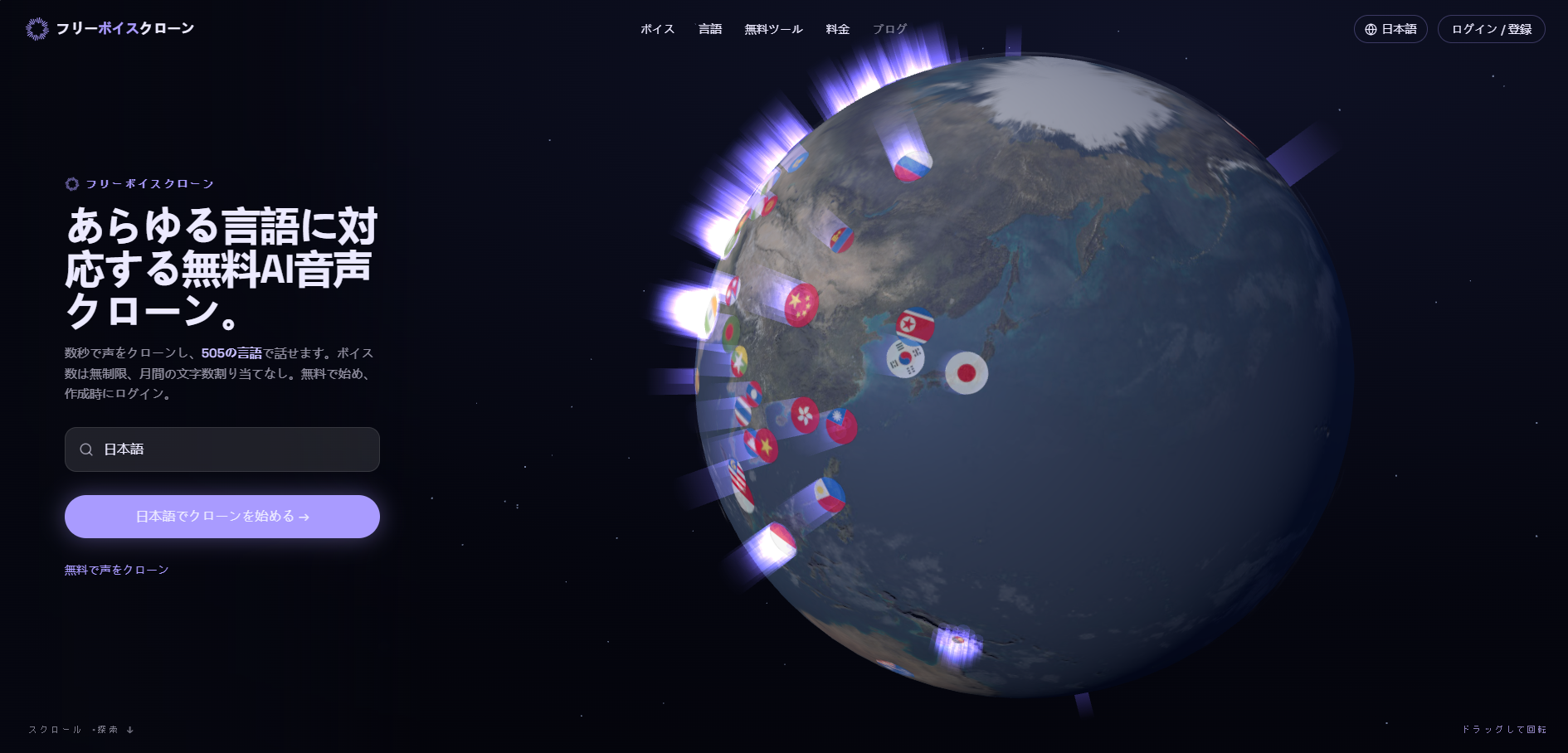
This article is a working manual. It covers exactly one task: turning a short recording of a single speaker into a voice that can be reused across a variety of scripts, and knowing where to look when results fall short. The tool used here is FreeVoiceClone, because its cloning form clearly states all requirements — sample length, supported formats, transcription review, and consent checkbox. The article is structured as procedure, not opinion: what to prepare, what each step of the form asks for, how to test the finished voice, and which symptoms trace back to the recording itself. No studio or prior experience assumed.
Most disappointing clones are decided before the software ever runs. The model can only work from what it hears, so samples with background music, a second speaker in the room, or heavy reverb feed it contradictory information. Fortunately, home recording is usually sufficient. What you need is not equipment — it is cleanliness.
Choose a small, soft room over a large one with bare walls. Carpet, curtains, and closed windows reduce reflections more effectively than upgrading your microphone. Read a neutral passage, not a theatrical one. The sample should represent exactly the speaking style you want in the finished voice. One speaker, one take. No laughing, coughing, or turning away from the microphone mid-take.
Aim for roughly 30 seconds. The form accepts 5–30 seconds, but the shorter end, while technically valid, gives the system fewer cues for how the voice behaves across different sounds. Thirty seconds of natural speech typically contains enough vowels, consonants, and sentence endings to work with.
The workflow will ask you to confirm that you have the right to create this voice. This is a substantive step, not a formality. If the speaker is a client, colleague, or performer, obtain their consent before recording and be clear about where the voice will be used. Voices created on the free plan are published and shared with the community. Private voices are included in paid plans. If the answer to "can this be made public?" is no, you now know which plan this project requires — before spending any time on the sample.
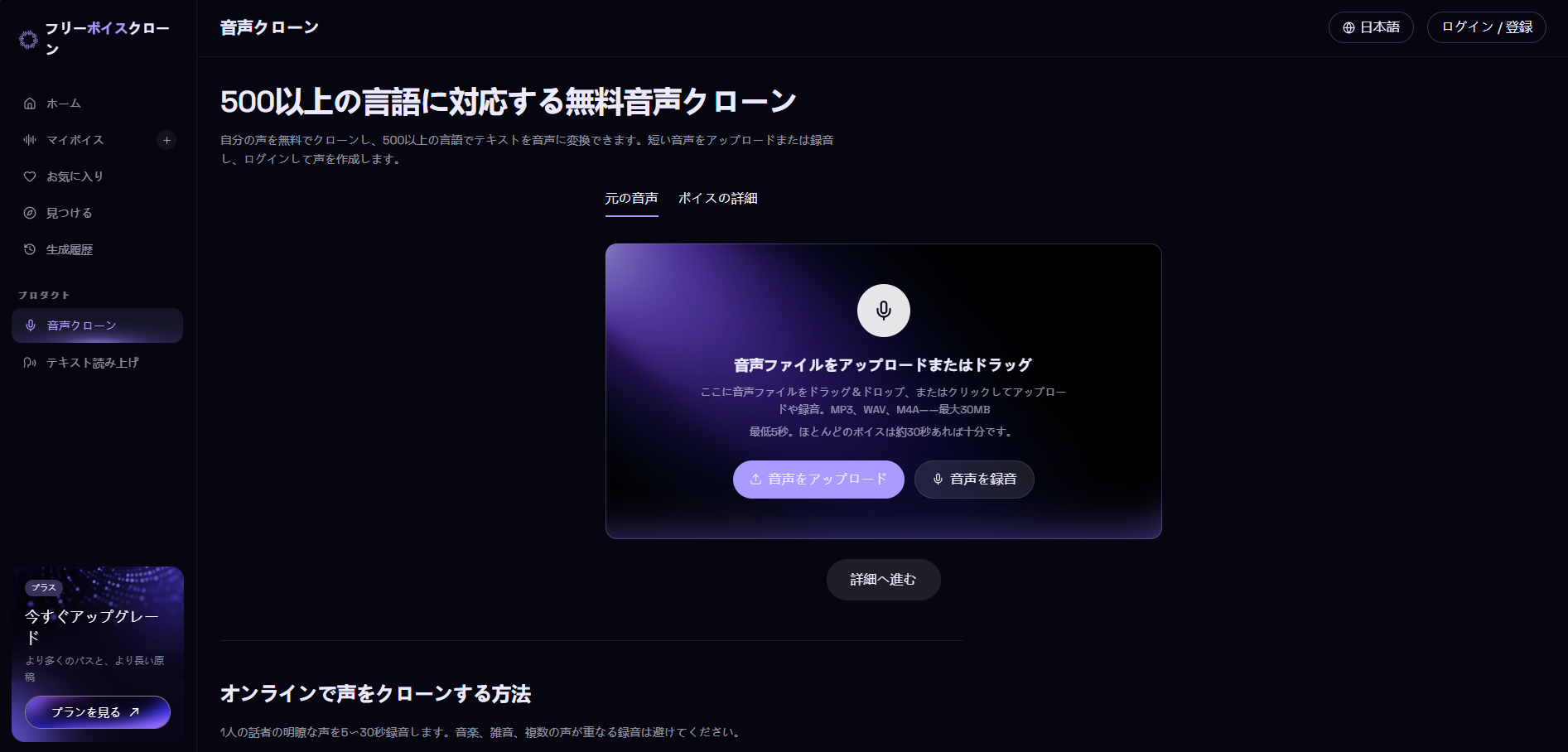
The workspace is divided into two stages: Source Audio and Voice Details. Work through them in order. The second stage depends on what was captured in the first.
Drag an existing file or record directly in the browser. MP3, WAV, and M4A are supported; the file size limit is 30 MB. If recording in the browser, watch the counter and stop before the ceiling. A slightly shorter clean take beats rushing through the final sentence. If uploading a file, listen through headphones once before proceeding — selecting the wrong take from a folder is a common mistake.
The upload section states the minimum duration and indicates that roughly 30 seconds is sufficient for most voices. There is a button to advance to details and an option to re-analyze the audio. Re-analysis matters more than it might seem. Files that cut off awkwardly or were saved with the wrong start point can be corrected here — far earlier than discovering the problem after the voice has already been built and wondering why it sounds strained.
In the details stage, you select the sample language and review the transcription the system produced. Compare it against what you actually said. Missing words or the wrong language usually mean the audio was unclear or the language setting did not match the recording. Both affect the generated voice. Fix what you can fix while you still can. The transcription is the bridge between your recording and the voice being built from it.
Check the consent box only when it genuinely applies. At the same time, decide whether the voice will be public or whether you need a private slot. These two settings belong together: one concerns whose voice it is, the other concerns who can see it. Because the platform lets you configure settings before creation and requires a login at that point, the practical order is: prepare → review → confirm.
After creation, enter short scripts and listen. Prepare three: a sentence containing your name or a product name, a sentence with numbers, and a question. Three short tests reveal more than one long paragraph. Auditioning is free and unlimited, but a beep watermark is added. This stage is for experimentation, not delivery. Downloading a clean file requires one download pass.
If results fall short of expectations, change one thing at a time and retest using the same three sentences. Four common symptoms cover most cases.
If two of your three test sentences fail to meet your clarity standard, re-record the sample. If only one falls short and the cause is an unusual proper noun, correct the pronunciation instead. This threshold prevents the common waste of rebuilding an entire voice because a single word went wrong.
The service can output in 505 languages from a single voice. This is a genuinely useful capability — and a reason for care. Before publishing a multilingual version, have the voice read a short sentence in that language and, if possible, have a native speaker listen. Listen not just for correctness but for rhythm. A clone may pronounce every word correctly yet still sound like it is reading a translation. In that case, revising the script works better than replacing the voice: shorter sentences, fewer stacked subordinate clauses, localized names.
Teams tend to repeat the same recording mistakes. To lock in a consistent process, run through cloning your voice from a short audio sample together in a shared session and write down exactly what the form asked for: duration, format, language, transcription review, consent. That single page of notes is more useful than any style guide, because it turns abstract instructions into steps a new team member can follow without guesswork.
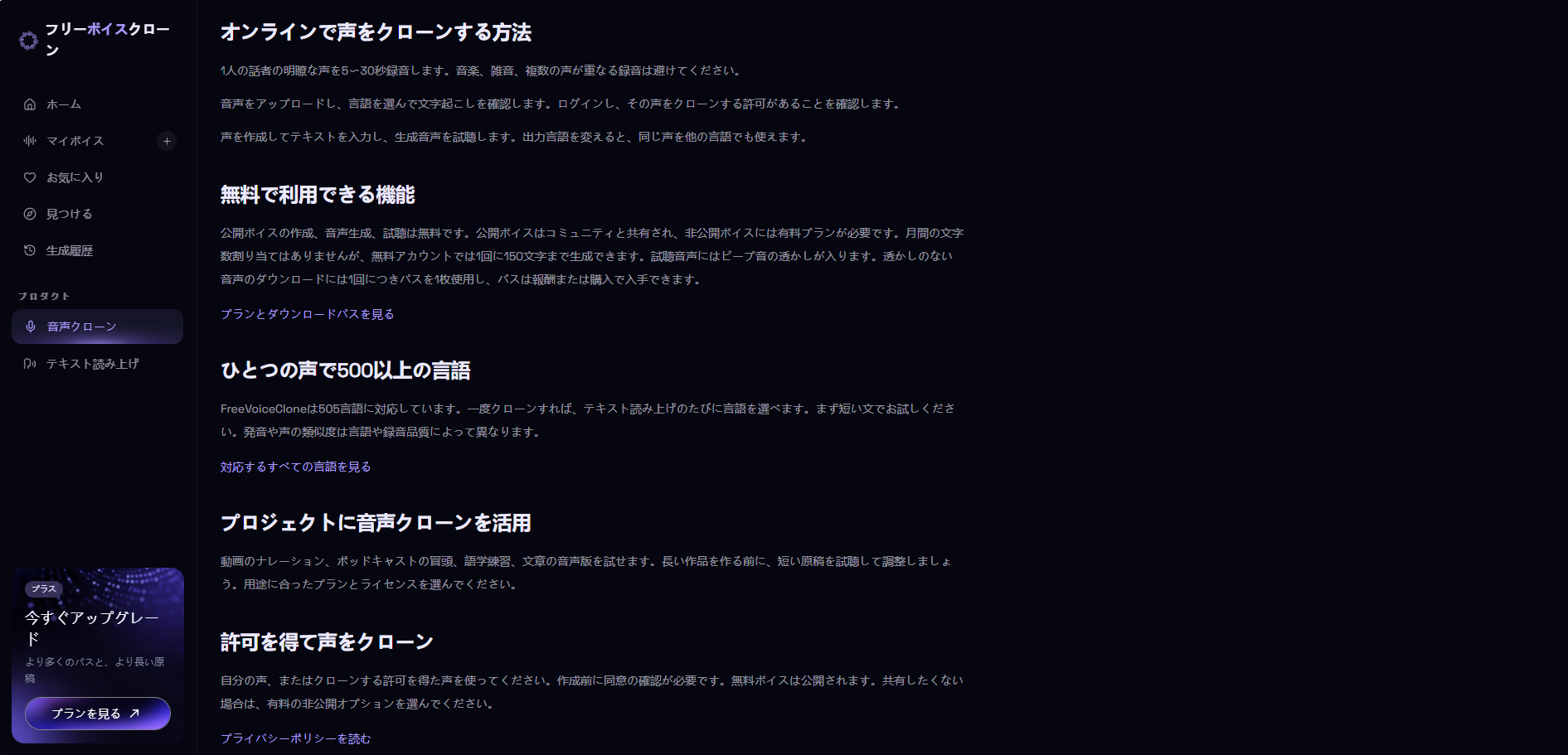
The free plan generates up to 150 characters per run, so even after a voice is created, long scripts must be split and assembled in segments. Paid plans raise this to 3,600 and 15,000 characters. Auditioning includes a watermark — meaning testing is free, delivery is not. Free voices are shared publicly by default; private slots and commercial licenses are on the paid side; download passes are consumed only for clean files. None of this changes how you record your sample, but it changes everything around it.
A short, clean, single-speaker recording — paired with a confirmed transcription and a clear consent decision — eliminates most cloning problems before they start. What remains is iteration: three short test sentences, one change at a time, and a willingness to re-record when clarity drops. The software accelerates the work. Quality still depends on the 30 seconds you hand it.